Rostra Tech
In Campus and CompleteChromebooks, chargers and cases: who has each one, its condition, what it has cost, and where it goes next.
Rostra Tech works alongside Google Admin and never changes device settings.
Learn about TechThe platform your school runs on
School management, brought into the 21st century. Attendance, grades, report cards, devices, behavior, family email, the health office, dismissal, games and more. One platform. One roster. One sign-in.
Rostra OS
Every Rostra app stands on the same steps: one roster, one sign-in, one record for each student. Add an app and it already knows your school.
The office, the classroom, the nurse, the curb and the tech cart share one roster. Turn on an app and it already knows every student. One roster. One sign-in. One bill.
Teachers run the class board from the room's laptop. Families get a push the moment something happens, in their own language.
A school day on Rostra OS
Staff sign in. The morning brief is already in every inbox.
One tap per student. The office sees each absence as it is marked.
Rested 15 minutes, back to class. The visit is logged where only the nurse sees it.
Every staff phone hears the call. Roll call closes in four minutes.
Families ordered from their phones. Balances update themselves.
A loaner goes out with one scan. The repair and the family charge are on record.
The class board fills. Extra recess on Friday.
Sent to 186 families from your own address, each in their own language.
Cars are called to every classroom. Families see the moment their child leaves.
Every record is saved, and tomorrow is ready before the lights go off.
The film
Music, narration and the platform your school runs on. Turn your sound on.
What runs on Rostra
Not a gradebook with add-ons. The whole school. The office, every classroom, the health office, the curb and every family, on one roster.
All of it stands on
The product, not a drawing of it
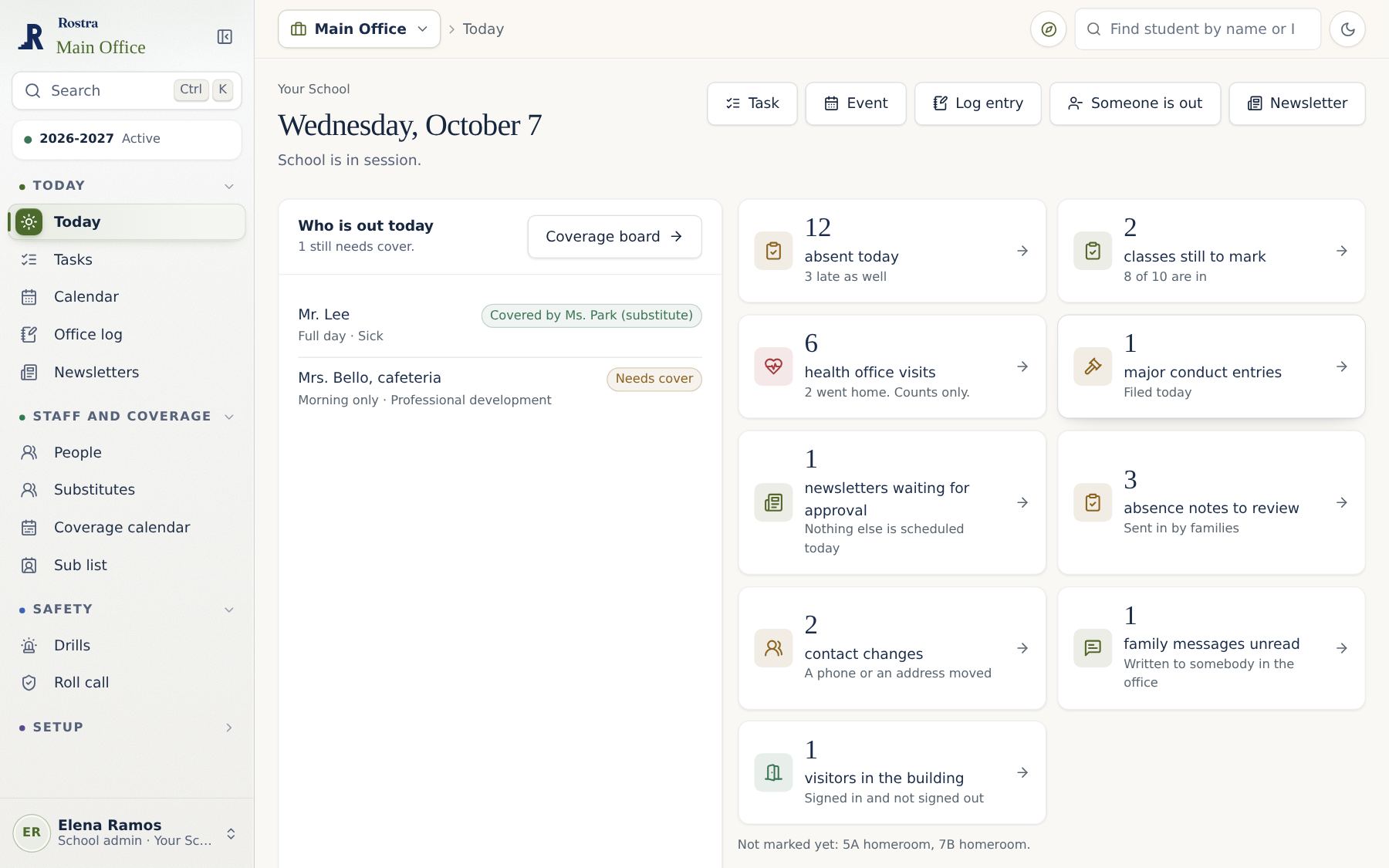
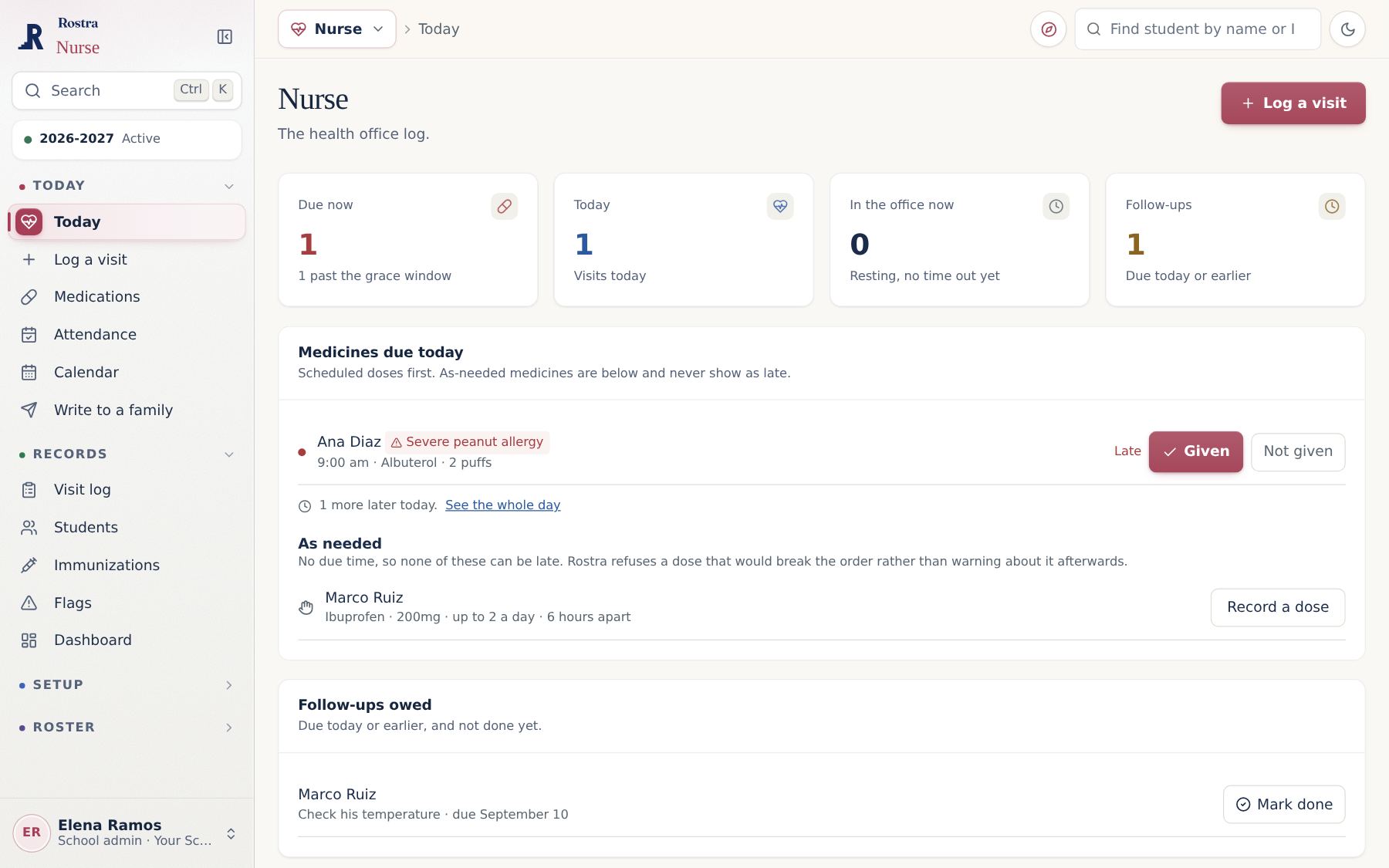
The office at 8:05 am. Who is out, who is covered, who went home sick. One page, read by the whole team.
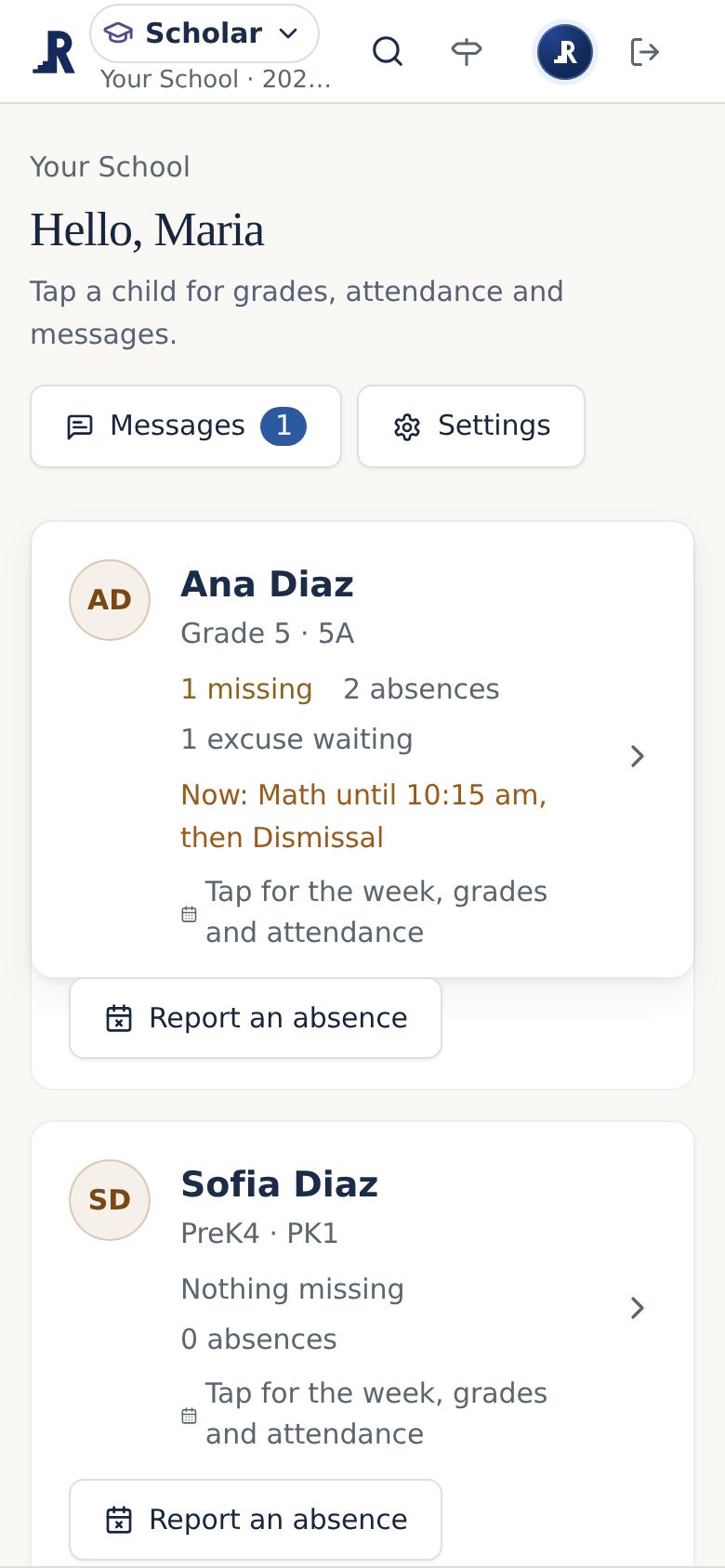
A parent at 8:06 am. Same records, their child only, on their phone.
Why schools switch
Most schools run a legacy records system, then pay for a separate tool for every job it skips. Rostra OS replaces the whole stack, all at once or one app at a time.
| Capability | Rostra OSOne system | Legacy SISA traditional records system | Separate toolsA patchwork of single apps |
|---|---|---|---|
| Records and the classroom | |||
| Student records and gradebook | Built in. Scholar, built in | Built in. The core of the product | Partial, add-on or separate purchase. Needs its own records system |
| Report cards | Built in. Built from the gradebook | Built in. Often rigid templates | Usually not covered. Rarely covered |
| Attendance | Built in. One tap, even offline | Built in. Usually included | Partial, add-on or separate purchase. Kept apart from the roster |
| Behavior and class rewards | Built in. Conduct, from your handbook | Partial, add-on or separate purchase. Often a basic log | Partial, add-on or separate purchase. Another subscription |
| Classroom games | Built in. Rostra Quest, on this week’s lessons | Usually not covered. Not included | Partial, add-on or separate purchase. Another login for students |
| Substitute plans and coverage | Built in. Invite subs, share the day | Partial, add-on or separate purchase. Usually manual | Partial, add-on or separate purchase. Another subscription |
| Families and the office | |||
| Family messaging and push | Built in. Email and push, by grade or homeroom | Partial, add-on or separate purchase. Often an add-on | Partial, add-on or separate purchase. A separate app and contact list |
| Health office | Built in. Visits, medications, immunizations | Partial, add-on or separate purchase. Often a basic module | Partial, add-on or separate purchase. A separate subscription |
| Dismissal | Built in. Car line, buses, walkers, families told | Usually not covered. Rarely included | Partial, add-on or separate purchase. A separate subscription |
| Lunch ordering and balances | Built in. Families order from their phones | Partial, add-on or separate purchase. Often an add-on | Partial, add-on or separate purchase. A separate vendor |
| AI reports in plain words | Built in. Ask a question, get a report | Partial, add-on or separate purchase. Usually a report builder to learn | Usually not covered. Each tool reports on itself |
| Staff, devices and safety | |||
| Staff walkie and drills | Built in. Push to talk on staff phones | Usually not covered. Not included | Partial, add-on or separate purchase. Radios or another app |
| Device lifecycle | Built in. Issue, return, repair, charges | Usually not covered. Not included | Partial, add-on or separate purchase. Spreadsheets or another tool |
| Chromebook screens and web filter | Built in. Classroom, school hours only | Usually not covered. Not included | Partial, add-on or separate purchase. One or two more subscriptions |
| Running it | |||
| One roster, one sign-in | Built in. Every app, one record per student | Partial, add-on or separate purchase. For its own modules | Usually not covered. Rosters synced into each tool |
| Setup time | Built in. Import a roster, start the same day | Partial, add-on or separate purchase. Often weeks to months | Partial, add-on or separate purchase. Set up one tool at a time |
| Price per student | Built in. One price for the whole school | Partial, add-on or separate purchase. Per student, add-ons extra | Partial, add-on or separate purchase. Each tool priced on its own |
About $15,800 a year less, with every app on one roster.
Typical stack: a records system, family messaging, device tracking, web filtering, a health log, dismissal and more, each billed on its own. Cost basis: industry pricing research, 2023 to 2026, typical school; your costs may differ. Rostra OS Complete is $24 per student a year with a $4,000 minimum.
General comparison of typical setups, not any particular product or company. Cost basis: industry pricing research, 2023 to 2026, for a typical 300-student school. Your costs may differ.
The suite
A legacy SIS sells you one system and leaves you to bolt on the rest. Rostra starts from the roster and builds every app on it, so the office, the classroom, the health office and families work from the same records, and each person sees only the parts that belong to their role.
Chromebooks, chargers and cases: who has each one, its condition, what it has cost, and where it goes next.
Rostra Tech works alongside Google Admin and never changes device settings.
Learn about TechAttendance, the gradebook, a weekly lesson planner, report cards, the student file and a family page.
Scholar is the heart of every Rostra OS plan, from Core up, and your data exports in standard formats whenever you ask.
Learn about ScholarThe Chromebooks in front of every class, one tile per student, and a web filter for the school by grade.
It never records keystrokes, the camera, the microphone or where a device is.
Learn about ClassroomA class rewards board with games, merits and demerits, thresholds, and the follow-up that comes with them.
Conduct stays off until your school turns it on, and it keeps records only as long as you choose.
Learn about ConductEmail to families in your school colors, sent from your own address once your domain is verified.
Post sends email only. Replies go to your school’s existing inbox.
Learn about PostThe health office record: visits, medications, immunizations, and who may see what.
Nurse requires a signed agreement before it stores real health records.
Learn about NurseA shared workspace for the office team: the Today page, tasks, the school calendar, the office log and a newsletter builder.
Main Office comes with every Rostra OS plan.
Learn about Main OfficeEvery way home in one place: the car line, buses, walkers, aftercare and pickups by an approved adult.
Dismissal comes with Rostra OS Campus and Complete.
Learn about DismissalPush to talk for staff on the phones they already carry, with channels, text messages and school-wide alerts.
Walkie comes with Rostra OS Campus and Complete, and is available only to staff.
Learn about WalkieThe menu with pictures, family ordering by the day, week or month before the cutoff, and every balance in one place.
Invite substitutes by email or text. They get the schedule, class lists and plans for the day, with no account to make.
Every app a family uses, for one family price. A co-op pays the same price for each member family.
Practice games built on what the class is learning, where each child plays as a little character they dress themselves. Part of Scholar.
Rostra OS comes in three plans, each priced per student for the whole school. Core is the student record, Post and Main Office at $13 per student a year. Campus adds the rest of the building at $20, and Complete adds Classroom and Rostra Quest at $24, each with a plan minimum. See full pricing.
Change plans from Billing at any time. When you move up, your roster, rooms and staff are already in place and the new apps switch on straight away. Stripe charges only the difference for the rest of the year.
A closer look
Rostra Tech
Every Chromebook, charger and case, from the day it arrives to the day it retires. Issue a kit by scanning, take it back with a condition check, and see what is owed in one place.
Rostra Conduct
A class board students enjoy, with merits, demerits and follow-up built on the rules in your own handbook. A teacher recognizes a student in one tap, and the office sees the whole record.
Rostra Scholar
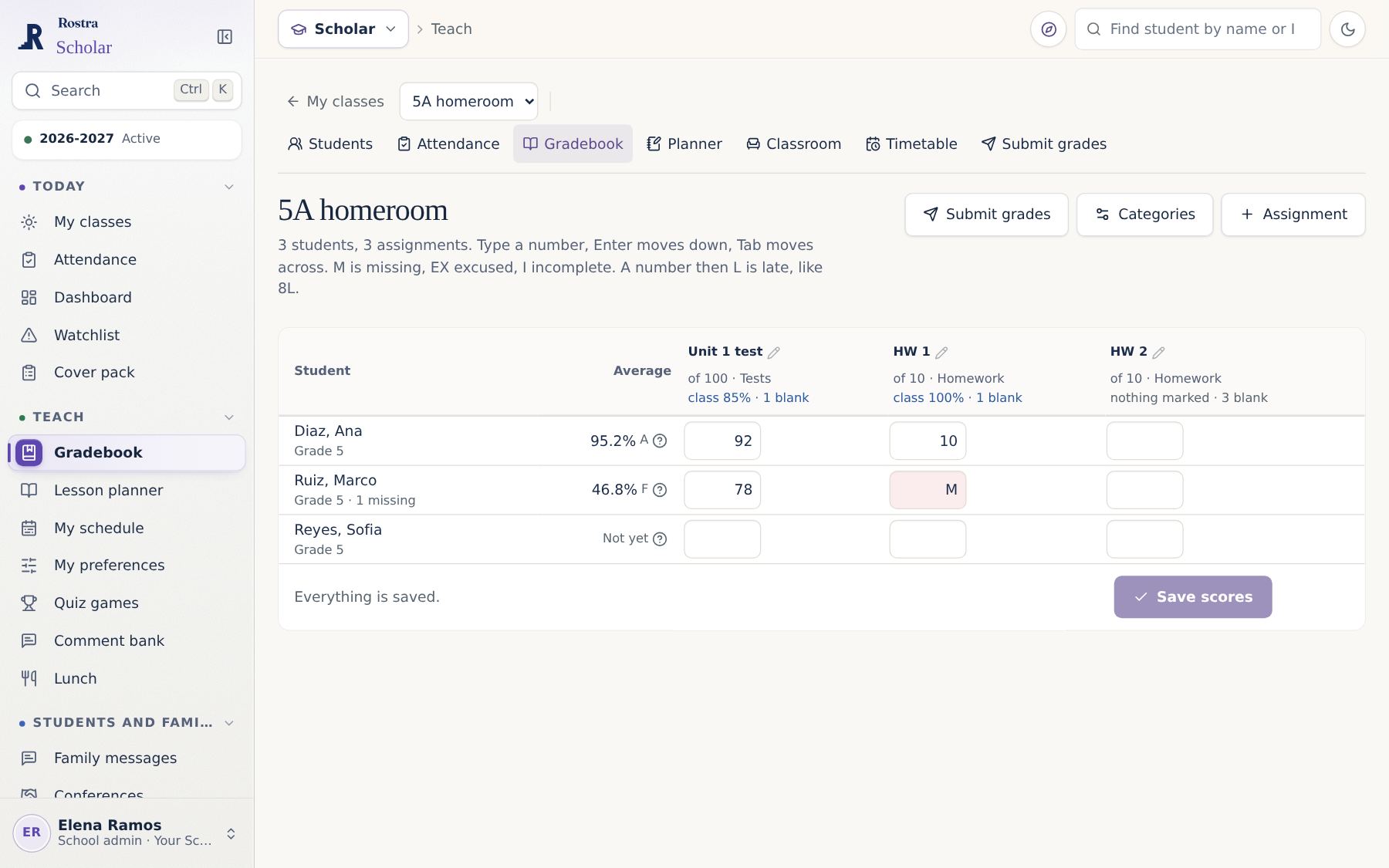
Scholar holds attendance, the gradebook, the planner and report cards, and Rostra Quest turns practice into games students ask to play. It comes with every Rostra OS plan.
Rostra Dismissal · Included
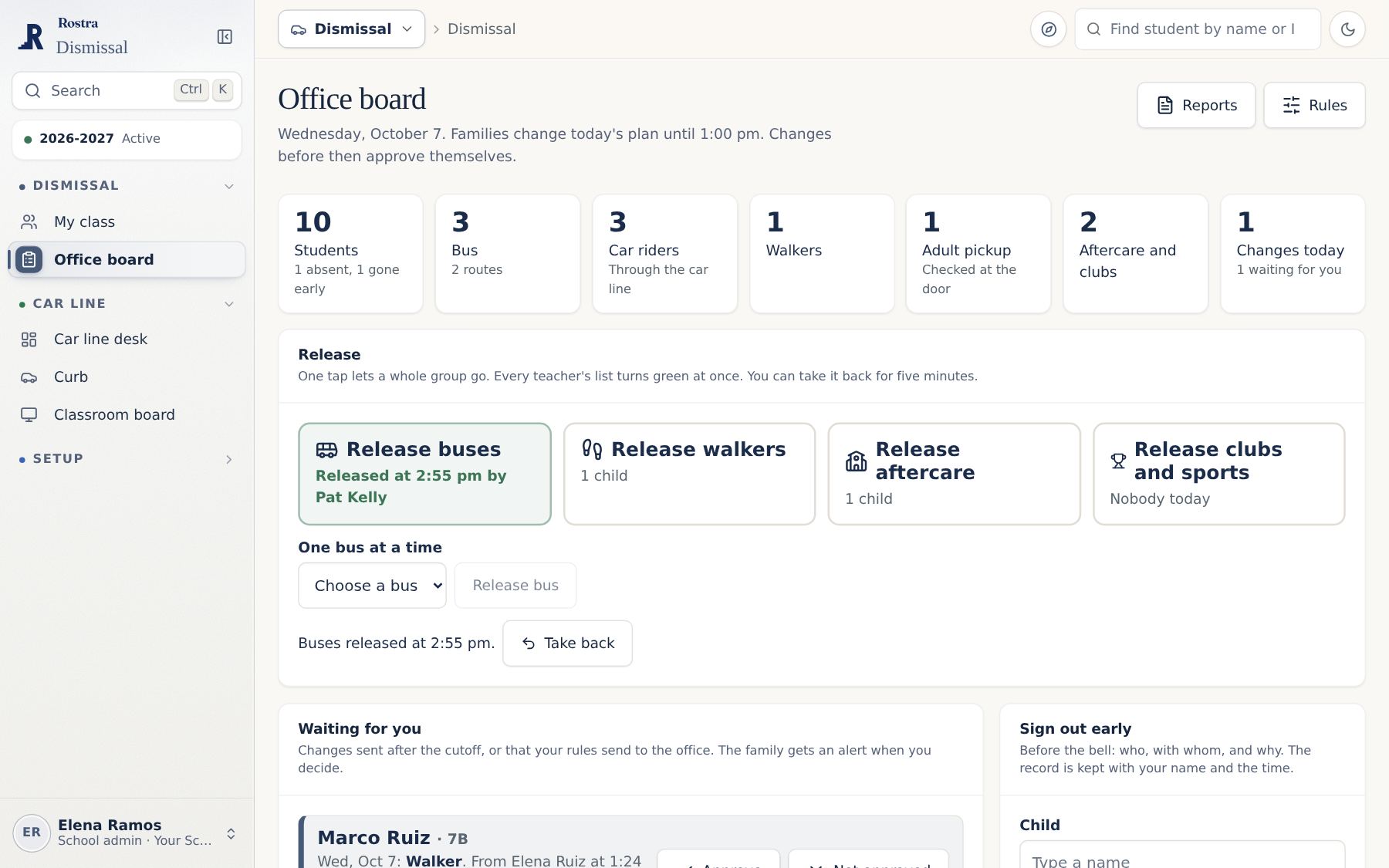
Call each car by its tag at the curb, and the classroom sees it the same second. Every release is recorded with the staff member and the time.
Families and the health office

Choose recipients by grade, homeroom or need from the roster you already keep. Every message is archived exactly as it was sent, and replies go to your own inbox.
Explore Rostra Post
Visits, medications and immunizations in a record only the nurse sees unless your administrators decide otherwise. When a student is sent home, the family is always told.
Explore Rostra NurseHow it fits together
Rostra holds your students, your staff, your school year and your billing. It is included with whichever app you choose first, so every app you add is already working from the same information.
Included with every school. It is not sold on its own because it supports the apps.
 Device management
 Student information
 Coursework, classroom screens and web filtering
 Behavior and the class boardSchool emailThe health office
 The office team hub
 Dismissal
 Staff push to talk
Many schools begin with the app that addresses their most pressing need and add others over time. Main Office, Dismissal and Walkie are included from the start.
Watch it work
The class board, a student sent home from the health office, the weekly planner, the Friday letter and a broken Chromebook at the desk. Each runs a few seconds. Choose any moment below.
Included with every school
Every Rostra school receives these three apps at no additional cost, whichever app you choose first.
Who uses Rostra
Principals, secretaries and business managers share one view of the day, from staff absences to the weekly newsletter.
Attendance, grades, lesson plans and the class board are in one place, with one sign-in and nothing extra to learn for each task.
A complete record of every device, charger and case, kept alongside the admin console you already use.
Each school keeps its own records, and the central office sees every school side by side on one invoice.
Student privacy
The core student record is a name, a grade, a homeroom and a way to reach a guardian. Each app adds only what it needs, and only after your school turns it on.
Records are archived, never erased, so a mistake can be undone and history stays whole. If you stop paying, Rostra becomes read only and every record stays ready to export.
Nothing is sold and nothing trains a model. Students never sign in, and health records are visible only to the people your administrators choose.
Pricing
Core, Campus or Complete, priced per student with a plan minimum. Move the slider to your enrollment and see what your school would pay. Dioceses and networks of 10 or more schools are priced by quote.
The student record, the gradebook and the front office, with every family on one app.
$13 per student a year, for 300 students.
$13 per student a year, minimum $2,500.
The whole building: devices, behavior, the health office, dismissal and the staff radio.
$20 per student a year, for 300 students.
$20 per student a year, minimum $3,500.
A one-to-one Chromebook school that wants class screens, a web filter and learning games.
$24 per student a year, for 300 students.
$24 per student a year, minimum $4,000.
10 or more schools: a diocese, district office or school network buying for every school at once.
By quote, from 10 schools. Everything in Complete at every school.
Work out a quote below. 300 students per school is a fine place to start.
Billed once a year. Prefer monthly? It is a tenth of the yearly price. Priced on the students enrolled at checkout; when enrollment changes, update the count from Billing.
Schools typically spend about $23,000 a year for a 300-student school on separate tools: a student information system, family messaging, device tracking, web filtering, a health log, dismissal and more, each billed on its own.
About $15,800 a year less, on one roster and one sign-in. The typical figure comes from our review of published list prices for comparable tools at a 300-student school, scaled here by enrollment. Your own costs will differ, so bring your invoices and we will compare them line by line.
Teaching at home? Rostra OS Homeschool is $80 per year for the whole family.
Questions
Import your roster. Invite your staff. Start with the app you need most, or run everything from day one. We answer every question along the way.
Choose a plan, import your roster, and begin the same day.